
AION 2 Global Server Guide: Choose Your Region Before You Create a Character
If you are starting fresh, choose the AION 2 Global version and the nearest Global server region that all regular party members can use. Pick Global for its PC launch, Steam/PURPLE access, wider language support, and local servers in North America, South America, Europe, and Japan. Choose the existing Korea or Taiwan service only when you have a specific reason—such as an established guild—and you have independently confirmed account access, language, platform, and latency.
Table of Contents
ToggleDo not choose by a single ping screenshot. Before creating your main character, confirm five things in this order: version, region, friends, platform, and route. This guide walks through that decision using information checked on September 18, 2026.
Quick Answer: Which AION 2 Version Should You Choose?
For most new players outside Korea and Taiwan, Global is the practical default. Steam lists the Global release for October 5, 2026, while the official test notice directs eligible players to Advanced Access on September 30.
| Situation | Recommended starting point |
|---|---|
| New international group | Choose Global and the nearest shared region. |
| Established community in Taiwan | Consider Taiwan after confirming account, language, payment, and client requirements. |
| Established guild in Korea | Consider Korea only when the community benefit outweighs access and language friction. |
| Friends have not agreed | Wait before creating a main character. |
Swipe the table sideways to see all columns.
Korea and Taiwan launched on November 19, 2025 through NC’s PURPLE platform. Their service history does not make them interchangeable with Global.
First, Separate Version, Region, and World
Many server guides collapse three different choices into one. That creates avoidable mistakes.
| Choice | What it means | Why it matters |
|---|---|---|
| Version/service | Global, Korea, or Taiwan | Determines the service environment, client, policies, language options, and account path |
| Physical server region | NA, SA, Europe, Japan, Korea, or Taiwan | Strongly affects the latency floor and which community you meet |
| World/realm | The named in-game world inside a region | Determines where your character and guild begin |
Swipe the table sideways to see all columns.
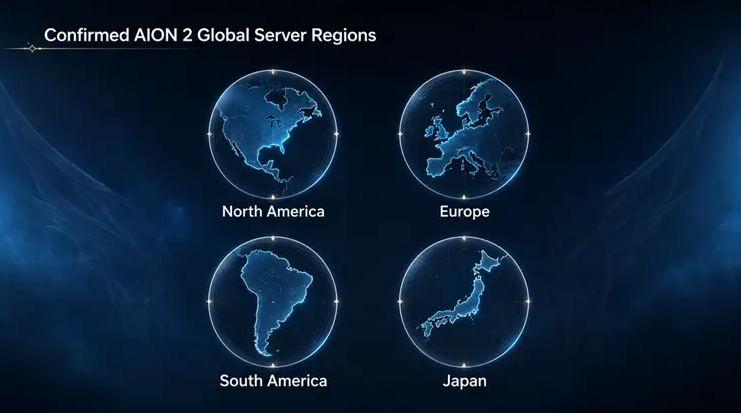
Global does not mean one worldwide machine. NC has confirmed locally hosted Global servers in North America, South America, Europe, and Japan. Your first task is therefore not “Global or Korea?” It is “Which service and which region will my group actually use?”
Do not assume that characters, purchases, names, guilds, or progression will move freely between services or worlds. I could not verify a general transfer guarantee in the official sources reviewed for this article. Treat the first choice as sticky until NC publishes rules that say otherwise.
Check 1: Pick the Service That Fits Your Real Use Case
Global has the cleanest fit for a new international group. NC describes it as a PC version for Steam and PURPLE, with locally hosted regional servers and broad localization.
The Korea and Taiwan services make more sense when the community benefit is concrete. “It launched earlier” is not enough. You should know exactly which guild you are joining, how you will register, which language you can read, which payment methods apply, and whether your platform is supported in that service.
A mature server can offer an established economy and active guilds. However, it can also mean more onboarding friction, older progression gaps, region-specific announcements, and customer support in a language you do not use. Those trade-offs matter more than curiosity.
Skip an overseas service if
- You are joining only because a streamer recommended it.
- You cannot independently verify the current registration and payment rules.
- You expect official Global support to solve a Korea/Taiwan account problem.
- Your friends are waiting for Global and you would have to restart to join them.
- You are relying on an unofficial download or instructions that ask you to ignore account or platform policies.
Check 2: Choose the Global Region Around Your Group
After choosing Global, select the region where the people you play with can meet. The nearest server usually gives the lowest physical latency, but your group decision comes first.
| Your situation | Best starting choice | Main trade-off |
|---|---|---|
| Everyone lives in the same supported region | Use that local region | Usually the simplest choice |
| Friends are split between nearby regions | Test both routes before launch | Someone will accept a higher latency floor |
| One person is overseas temporarily | Choose the group’s long-term home | The traveler may need a temporary network workaround |
| You mostly play solo | Choose your nearest official region | Community and market activity may differ by world |
| You already have a guild assignment | Follow the guild’s confirmed region and world | You may trade latency for community |
Swipe the table sideways to see all columns.
Distance is not the only network factor, but it sets a floor. A route optimizer can sometimes change the path your traffic takes. It cannot remove the physical distance between your home and the server.
Check 3: Confirm Friends, Faction, and World Before Character Creation
The safest plan is written, not assumed. Put these five lines in your Discord or group chat before anyone downloads:
Service: Global / Korea / Taiwan
Region: NA / SA / Europe / Japan / other confirmed service
Platform/client: Steam / PURPLE
World/realm: To be confirmed from the live list
Faction and guild: Group decision
Then nominate one person to verify the final world name on launch day. Screenshots from a test build or another language client can be outdated.
The Launch Scale Test provides a useful warning. NC stated that all test progression would be wiped and nothing would transfer to Advanced Access or launch. If you played the test, do not treat its character, world, or client installation as your final setup. Steam test users must download AION 2 separately, while PURPLE users were told no further launcher step was needed after the test.
Check 4: Choose Steam or PURPLE Without Inventing Differences
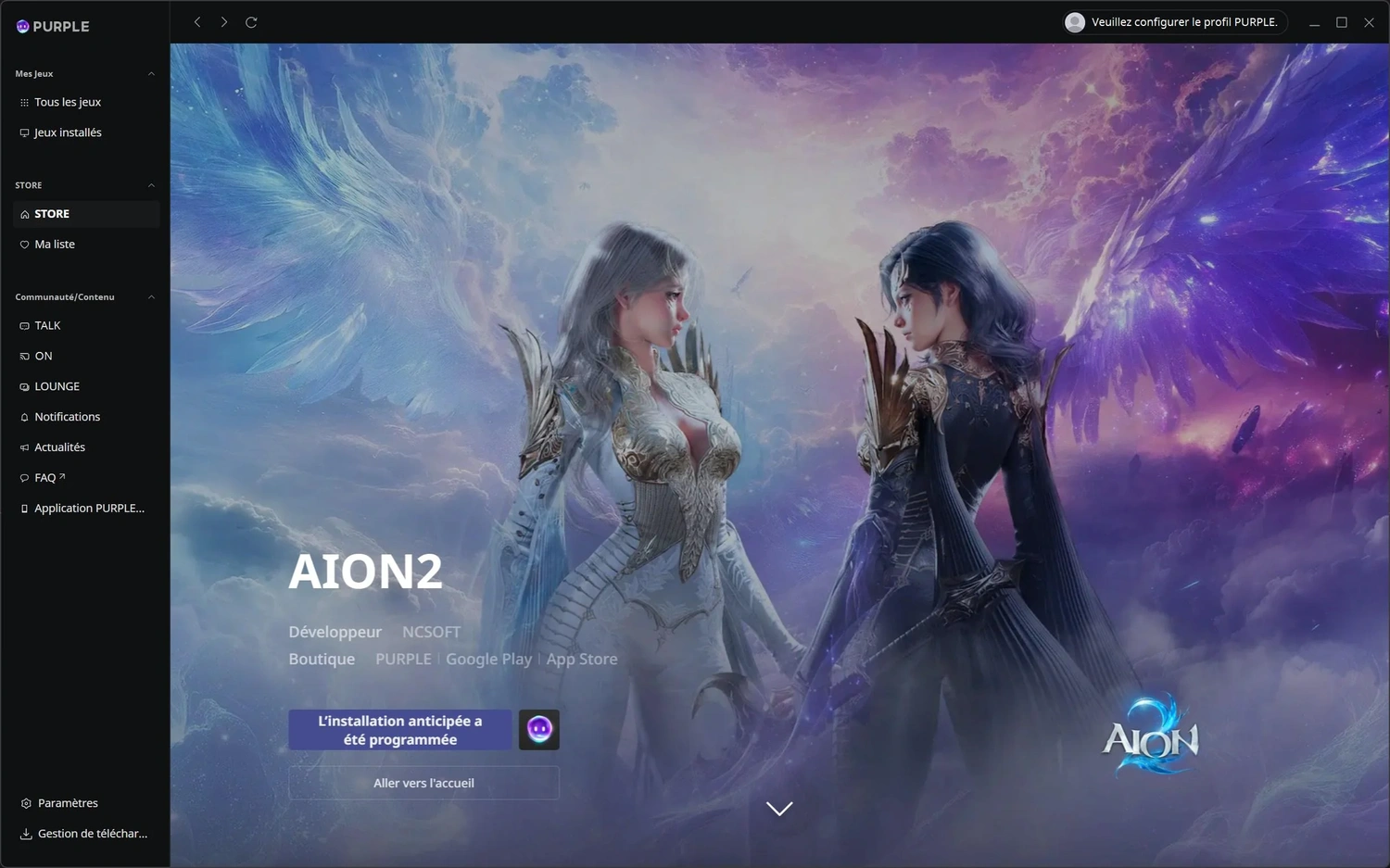
Global is available on both Steam and PURPLE. Use the platform that fits your account and library habits unless NC publishes a platform-specific requirement for your region.
Steam is the obvious choice if you want the game in your existing Steam library. PURPLE is NC’s own game platform and handles installation and launch for supported NC titles. The official PURPLE download page currently lists Windows 8.1 or higher for the launcher itself, but the game’s Steam page lists Windows 10/11 64-bit and DirectX 12 for AION 2. Follow the game’s requirements, not the launcher’s lighter minimum.
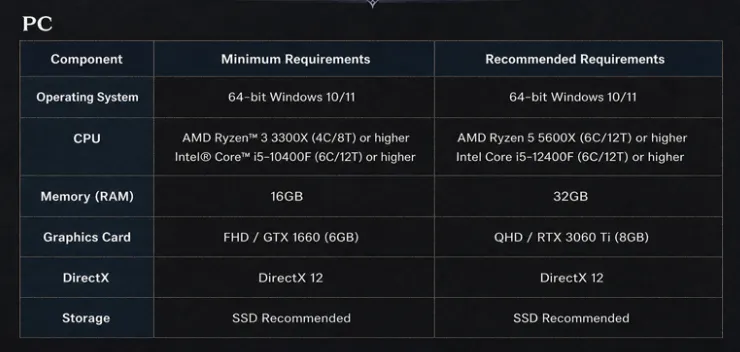
The Steam listing currently shows these game requirements:
- Minimum: Ryzen 5 2600 or Core i5-10500, 8 GB RAM, GTX 1050 Ti 4 GB, DirectX 12, and 100 GB storage.
- Recommended: Ryzen 7 3700X or Core i7-11700, 16 GB RAM, and RTX 2070 8 GB.
The Global version is being developed for PC only. The official FAQ does not announce a Global mobile client. A PURPLE mobile app does not, by itself, prove that the Global game is playable on mobile.
Check 5: Test the Route Before You Blame the Server
A server label tells you geography, not the quality of your ISP’s route. Test in three stages.
Stage A: Establish a clean local baseline
- Use Ethernet if possible.
- Pause downloads, cloud sync, streaming, and updates.
- Reboot the router only if the network has been unstable.
- Record the time, ISP, connection type, and intended server region.
- Compare at the same time of day on at least two days.
Stage B: Compare regions, not isolated numbers
GearUP provides a browser-based AION 2 server ping page. It is useful as a quick comparison tool, but it is also a vendor page, so treat the result as a starting signal rather than independent proof.
| Test | Region A | Region B |
|---|---|---|
| Median ping | ||
| Worst spike | ||
| Packet loss, if available | ||
| Test time | ||
| Connection type |
Swipe the table sideways to see all columns.
Do not select a region because it won one sample by 5 ms. Prefer the region that remains stable and keeps your group together.
Stage C: Confirm with live play
After launch, repeat the test during normal play. Watch for delayed skill activation, rubber-banding, disconnects, and time-of-day spikes. A web ping tool cannot reproduce every game-session condition.
If the problem also appears on other games and devices, fix the local network or contact the ISP. If it appears only on one AION 2 route after local checks are clean, the public route becomes a more plausible cause.
When Route Optimization May Help
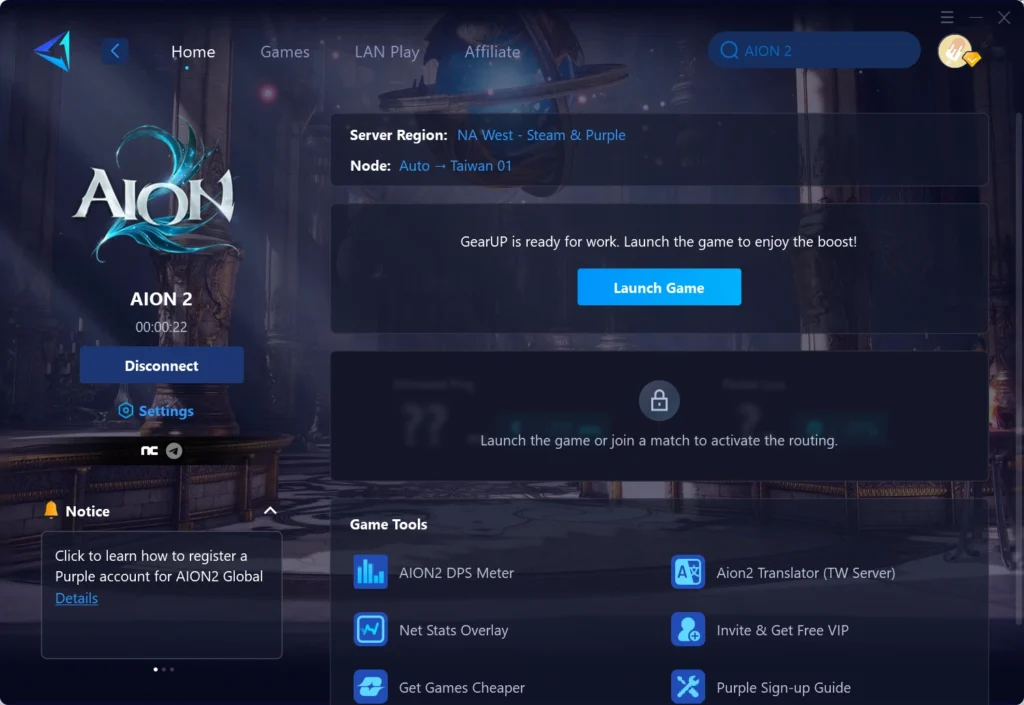
Route optimization is relevant only after you have chosen the correct service and region and cleaned up the local connection. GearUP’s AION 2 product page presents its service as a route optimization tool for the game. That is a vendor claim, not a guarantee for your ISP or location.
It may be worth testing when:
- Your local Ethernet connection is stable.
- The closest appropriate region still shows large spikes or an indirect route.
- Friends on the same world do not see the same problem.
- The issue changes by ISP or time of day.
- You can compare before-and-after results under the same conditions.
Affiliate link — full disclosure below.
Test only after the free checks.
Skip GearUP if
- Your PC cannot maintain a stable frame rate.
- Your Wi-Fi drops packets before traffic leaves your home.
- The game service itself is under maintenance or overloaded.
- You selected a distant region only to follow a temporary trend.
- Your existing route is already low and stable.
- You expect software to guarantee a fixed Ping.
A route tool cannot fix FPS, server downtime, an overloaded home router, or physical distance. It should earn its place through your own log.
A Before-and-After Test You Can Trust
Use the same method before you pay for any network tool:
- Pick one region and one normal play window.
- Run three baseline sessions without route optimization.
- Record median Ping, worst spike, loss, and visible symptoms.
- Enable the tool without changing Wi-Fi, region, or background traffic.
- Run three comparison sessions.
- Keep it only if the improvement is repeatable and meaningful to play.
Your result applies to your country, ISP, route, time, and server. It does not prove that another player will see the same outcome.
For a more detailed diagnostic method, use the site’s high-ping troubleshooting guides. Note that AION 2 Global’s official requirements currently target Windows PC.
Final Decision Checklist
- ☐ We chose Global, Korea, or Taiwan for a specific reason.
- ☐ Everyone chose the same physical server region.
- ☐ We will confirm the same world/realm at launch.
- ☐ We agreed on platform/client and faction.
- ☐ Our PCs meet the game’s requirements.
- ☐ We did not confuse the test client with the launch client.
- ☐ We measured the route under repeatable conditions.
- ☐ We did not assume characters or purchases can transfer.
- ☐ We will only test route optimization after local checks.
FAQ
What is the AION 2 Global release date?
Steam lists October 5, 2026. NC’s official Launch Scale Test notice also points to Advanced Access on September 30, 2026.
Which regions have AION 2 Global servers?
NC has confirmed North America, South America, Europe, and Japan.
Is AION 2 Global available on mobile?
The official pre-release FAQ says the Global version is being developed exclusively for PC platforms. Korea and Taiwan service details do not establish Global mobile support.
Should I use Steam or PURPLE?
Both are announced Global PC platforms. Choose based on account and library preference unless NC publishes a region-specific restriction. Follow the game’s Windows 10/11 requirements rather than assuming the PURPLE launcher’s lower requirement is enough.
Will Launch Scale Test progress carry over?
No. NC stated that test progression would be wiped and nothing would transfer to Advanced Access or launch.
Can I transfer a character between Global regions or services?
Do not assume so. I could not verify a general transfer guarantee in the official sources reviewed on September 18, 2026. Choose with friends before creating your main character and check the latest official transfer rules.
Can a game booster fix a bad server choice?
No. Route optimization may change the network path, but it cannot move your character, change the service, remove physical distance, or repair server downtime.
Verdict
For most new international players, start on AION 2 Global, choose the nearest region that keeps your regular group together, and confirm the same world before creating your main character. Use Steam or PURPLE according to your account preference, but follow the game’s PC requirements and do not assume a Global mobile version exists.
Only investigate route optimization after the version, region, friends, platform, and local network are correct. If your repeatable test shows that the remaining problem is the path between your ISP and the selected AION 2 server, a trial can answer whether the tool helps your connection.
Ready to compare your own route?
Affiliate Disclosure
The GearUP links on this page are affiliate links. If you purchase through them, I may earn a commission at no extra cost to you. GearUP has not been independently benchmarked for this article, and no specific Ping or stability result is promised.