
AI website builders are very good at producing the moment beginners find most exciting: a complete-looking homepage appears after a short prompt.
That moment is not the same as having a useful business website.
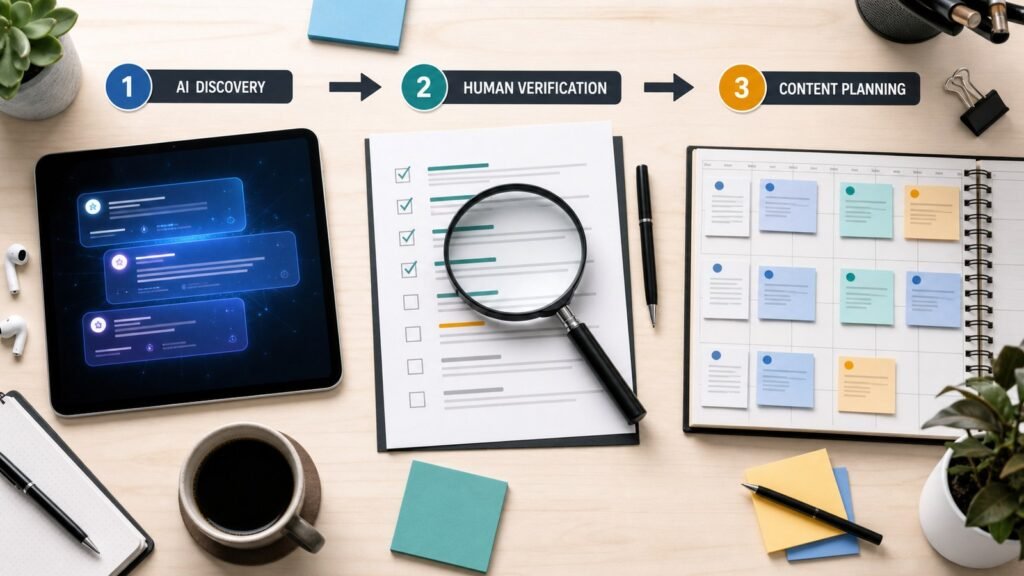
A real site needs accurate copy, sensible navigation, mobile layouts, forms that work, analytics, search settings, accessible images, legal pages, and a maintenance process. It may later need a blog, ecommerce, appointment booking, multiple contributors, or a migration path.
The best AI website builder is therefore not the one that creates the most impressive first screenshot. It is the one you can still operate six months after launch.
This guide compares four prominent options—Wix, Squarespace Blueprint AI, Framer, and Webflow—from the perspective of a beginner or solo entrepreneur. It is a documented feature comparison, not a claim that every plan and workflow has been exhaustively lab-tested. Features and prices were checked against official product pages on August 3, 2026.
Quick Recommendation
- Choose Wix if you want an all-in-one small-business site with broad built-in functionality and the lowest learning barrier.
- Choose Squarespace if brand presentation, portfolios, service pages, and a curated design process matter more than deep layout control.
- Choose Framer if you want a design-led marketing site or startup landing pages with a flexible visual canvas.
- Choose Webflow if you expect a content-rich or more complex marketing site and are willing to accept a steeper learning curve.
None of these choices removes the need to edit AI output. Treat the generated site as a structured first draft.
What I Would Evaluate Before Choosing
Most comparisons begin with templates and AI writing. I would begin with the business model.
The job of the website
Write one primary goal:
- generate quote requests;
- sell appointments;
- display a portfolio;
- publish search-focused articles;
- sell products;
- validate a new offer;
- support a mature marketing funnel.
A local cleaning business and a design agency may both need five pages, but their functional needs are different. The first may value booking, maps, and simple updates. The second may care about animation, case studies, responsive art direction, and client handoff.
What happens after generation
Ask these questions during a free trial:
- Can I replace the AI structure without fighting the editor?
- Can I make the mobile version good, not merely acceptable?
- Can I create and reuse consistent sections?
- Does the plan I can afford include a custom domain and the content features I need?
- Can another person update text without breaking the design?
- How do I export data, redirect old URLs, or move later?
- Are forms, analytics, SEO controls, and backups understandable?
The answers are more important than how many layouts the AI can generate.
At-a-Glance Comparison
| Platform | Best fit | AI starting point | Editing depth | Main caution |
|---|---|---|---|---|
| Wix | Local services, beginner business sites, broad all-in-one needs | Prompt-driven business-ready site with AI assistance | Moderate; accessible visual editor and business features | Large feature set can feel busy, and migration deserves planning |
| Squarespace Blueprint AI | Portfolios, consultants, creators, visually polished service sites | Guided questions plus design, copy, and image suggestions | Moderate; curated design system | Less suitable when you want highly unconventional interactions or complex content architecture |
| Framer | Startup marketing sites, landing pages, portfolios, design-led teams | Prompt or brief to editable structure, sections, and draft copy | High visual control | CMS and traffic limits should be checked against the exact plan |
| Webflow | Content-rich marketing sites, advanced responsive design, growing teams | Prompt to structured site and design system | High; powerful canvas and CMS | Steeper learning curve and separate Site/Workspace concepts |
Wix: Best for an All-in-One Beginner Business Site

Wix positions its AI website builder as a prompt-to-business-ready workflow. You describe the site, receive a generated direction, and continue editing manually or with its AI agent. The platform combines hosting and a large ecosystem of business functions.
Where Wix makes sense
Wix is a practical choice when the website is a tool for running a small business rather than a design project. A service provider may need contact forms, appointments, basic marketing, payments, or an online store without assembling several external systems.
The main advantage is breadth. A beginner can keep the domain, hosting, editor, and many business features in one environment.
Where to be careful
Breadth creates its own complexity. It is easy to add apps, sections, popups, and marketing features before the core offer is clear. Generated pages may look finished while still containing vague copy and unnecessary sections.
Before committing, build one complete customer journey: arrive on a service page, understand the offer, submit a form, receive confirmation, and view the result on a phone. Also investigate data export and migration for the content types you expect to use.
My verdict
Wix is the safest general-purpose shortlist candidate for a non-designer who wants common small-business functions. It is less compelling if your priority is an exceptionally custom marketing design or a sophisticated CMS architecture.
Squarespace Blueprint AI: Best for Guided Brand Presentation
Squarespace’s Blueprint AI Builder asks about the business, pages, brand personality, and style preferences, then proposes a tailored website with content and imagery. Squarespace describes the tool as part of its broader Design Intelligence system.
Where Squarespace makes sense
Squarespace is strongest when visual consistency matters and you prefer curated decisions over an open-ended canvas. It suits consultants, photographers, creative professionals, restaurants, wellness businesses, and portfolios that need to look coherent quickly.
The guided process is valuable for beginners who do not know how to combine fonts, colors, page sections, and imagery. The result is still editable, but the system helps keep the design within sensible boundaries.
Where to be careful
AI-generated brand copy often sounds polished but interchangeable. Replace generic claims with specific services, locations, processes, examples, and customer questions.
Squarespace says Blueprint AI is free to use, but a paid Squarespace account is required to publish. Use the trial to test the editor, blog structure, forms, ecommerce or scheduling needs, and mobile behavior before choosing a plan.
My verdict
Squarespace is the best fit in this group for someone who wants a visually refined service or portfolio site and values guidance. It may feel restrictive to designers who want granular control over every responsive interaction.
Framer: Best for Design-Led Marketing Sites
Framer’s current AI builder can turn a prompt or brief into page structure, sections, headlines, and draft copy. The generated result remains editable on a freeform canvas, with access to components, breakpoints, CMS content, SEO controls, hosting, analytics, and publishing.
Where Framer makes sense
Framer is attractive for startup landing pages, product marketing sites, portfolios, and agencies that want stronger visual control without a traditional code handoff. People familiar with design tools may find the canvas more natural than a conventional small-business website builder.
Its AI agent model is also designed for ongoing editing, not only initial generation. That makes it useful for teams that want to explore page directions and then refine the details visually.
Where to be careful
Check plan limits rather than assuming the attractive free canvas equals free production hosting. As of August 3, 2026, Framer’s official pricing page lists Basic at $10 per month and Pro at $30 per month with yearly billing. The listed plans differ in pages, CMS collections, bandwidth, staging, and AI credits, and extra editors or add-ons can increase the cost.
A marketing site with a few landing pages is different from a large publication. Model the number of CMS collections, contributors, pages, locales, and expected traffic before choosing.
My verdict
Framer is my first shortlist choice for a design-conscious founder building a modern marketing site. A complete beginner can use it, but someone who only wants appointments and a simple local-business presence may find an all-in-one builder more direct.
Webflow: Best for a Site That May Grow in Complexity
Webflow’s AI site builder generates an editable site draft and a foundational design system. The official product page emphasizes site structure, theme customization, responsive styling, CMS content, SEO and AEO features, and the ability to continue refining the site in Webflow.
Where Webflow makes sense
Webflow is a strong option for a serious marketing site with structured content, reusable systems, and more advanced responsive design. It can serve teams that want visual development capabilities without giving up control over layout and content architecture.
The generated design system is an important difference. A good site is not a collection of unrelated pages; it is a set of consistent variables, components, patterns, and content structures.
Where to be careful
Webflow has a steeper learning curve than the more guided products. Beginners need to understand containers, spacing, classes or variables, breakpoints, CMS structure, and publishing concepts.
Pricing also needs careful reading. Webflow generally separates Site plans from Workspace plans. Its official pricing page listed the Basic Site plan at $15 per month and Premium at $25 per month with yearly billing on August 3, 2026. The free Starter tier is designed for exploration and has meaningful limits. Webflow introduced updated plans and AI credits in 2026, so older comparison articles may be inaccurate.
My verdict
Webflow is the strongest option here for a beginner who is willing to learn and expects the site to become a substantial marketing or content system. It is not the fastest path for someone who wants to publish five simple pages and avoid design-system decisions.
Which Builder Fits Each Business Type?
Local service business
Start with Wix. Compare Squarespace if the brand and visual presentation are central. Test the complete lead or booking flow before paying.
Consultant, coach, or creative portfolio
Start with Squarespace for a guided, polished result. Consider Framer if you want a more distinctive marketing presentation and are comfortable refining responsive design.
Startup landing page or SaaS marketing site
Start with Framer for rapid visual exploration. Consider Webflow if the site will develop a larger CMS, a detailed design system, or more complex team workflows.
Content-heavy publication
Start by mapping content types, categories, authors, redirects, search, and editorial workflow. Webflow may fit a structured marketing publication; a traditional CMS such as WordPress may still be more appropriate for a publishing-first business. Do not choose solely from the generated homepage.
Ecommerce business
List required product variants, inventory rules, taxes, shipping, returns, payment countries, subscriptions, and integrations first. Wix and Squarespace offer commerce features, but a dedicated commerce platform may be a better fit for a complex store. Test operations, not only storefront design.
A Fair 60-Minute Test for Any AI Website Builder
Use the same brief in every platform.
Create a five-page website for a residential cleaning business in Austin, Texas.
The audience is busy homeowners. The primary action is requesting a quote.
Pages: Home, Services, Pricing Approach, About, Contact.
Use a trustworthy, calm visual style. Do not invent customer reviews, certifications,
prices, years in business, or service guarantees. Mark missing facts as placeholders.
Then complete these tasks:
- Replace the hero headline and primary call to action.
- Add one new service and reuse it on two pages.
- Create a real contact form with confirmation text.
- Adjust the phone layout without damaging desktop.
- Add a page title and meta description.
- Change site-wide colors and one font.
- Add alt text to images.
- Duplicate a page and change its URL.
- Invite another person or inspect collaboration pricing.
- Find the process for connecting and later removing a custom domain.
Record the time, confusing moments, and plan restrictions. This produces a more useful decision than comparing generated screenshots.
What AI Will Get Wrong on Your First Draft
Unsupported claims
AI may invent awards, testimonials, locations, service guarantees, or years of experience. Remove every claim you cannot prove.
Generic positioning
“We deliver innovative solutions tailored to your needs” says almost nothing. Replace it with the customer, problem, service, location, and next step.
Decorative sections
Generated sites often include excessive feature grids, counters, and calls to action. Keep sections that help a visitor decide or act.
Weak information architecture
The AI may create pages that sound appropriate but do not match search intent or the customer journey. Plan navigation manually.
Inconsistent images
AI imagery can vary in style and may contain unrealistic details. Use a controlled visual system and check usage rights and platform terms.
Missing operational pages
Privacy information, disclosures, refund terms, accessibility considerations, and contact details require human decisions. The correct requirements depend on the business and location.
SEO and Ownership Questions to Ask
An AI builder does not automatically create search-worthy content. Google’s people-first guidance emphasizes original information, useful analysis, clear sourcing, and a satisfying reader experience.
Before publishing, check:
- editable page titles and meta descriptions;
- clean, controllable URLs;
- canonical settings where needed;
- redirects;
- sitemap behavior;
- image alt text and compression;
- structured content and internal links;
- site speed on real mobile connections;
- content export and backup options;
- analytics and consent requirements.
If affiliate content will be part of the site, plan for clear disclosures and meaningful original value. A beautiful AI-generated template cannot compensate for copied product descriptions or unverified reviews.
Pricing: Compare the Real Annual Cost
Do not compare only the headline plan.
Calculate:
Annual platform plan
+ domain renewal
+ email or workspace seats
+ ecommerce or scheduling fees
+ localization
+ AI credits or usage add-ons
+ premium apps or integrations
+ migration and redesign cost
= realistic annual cost
Prices and limits change. Check the official pricing page immediately before purchasing and keep a copy of the plan features that influenced your decision.
Frequently Asked Questions
Can an AI website builder create a complete business website?
It can create a strong first draft, but the owner must verify claims, refine the offer, configure forms and analytics, review mobile layouts, add legal information, and test the full customer journey.
Which AI website builder is easiest for a complete beginner?
Wix and Squarespace generally provide the most guided starting points. Wix emphasizes broad small-business functionality; Squarespace emphasizes curated design and brand presentation.
Is Framer easier than Webflow?
Many design-oriented users find Framer faster for marketing pages. Webflow offers deeper structure and control for more complex sites, but that capability brings a larger learning curve.
Can I move my website later?
Migration options vary by platform and content type. Test export, URL mapping, media access, and domain transfer before building a large site. Assume a visual design will require some rebuilding elsewhere.
Are AI-generated websites good for SEO?
They can be technically discoverable, but rankings depend on much more than generation. Useful original content, crawlable structure, page experience, links, authority, and ongoing maintenance still matter.
Should I use WordPress instead?
WordPress remains a strong choice for publishing-heavy sites and owners who value a large plugin ecosystem and greater hosting flexibility. It also requires more maintenance decisions. Choose based on workflow and ownership requirements, not only AI convenience.
Final Thoughts
AI has made website creation faster, but it has also made “finished-looking” sites cheap. A polished first draft is no longer a meaningful competitive advantage.
The advantage comes from accurate positioning, useful content, proof, a simple customer journey, and a platform you can maintain.
If I were choosing for a new business, I would shortlist two tools based on the business model, run the same one-hour test, calculate the real annual cost, and publish only after replacing every unsupported AI claim.
Choose the system behind the homepage, not the homepage itself.
Official Sources
- Wix AI Website Builder
- Squarespace Blueprint AI Builder
- Framer AI Website Builder
- Framer Pricing
- Webflow AI Site Builder
- Webflow Pricing
- Webflow 2026 Pricing and Plan Update
- Google Search: Creating Helpful, Reliable, People-First Content
Editorial note: This article contains no affiliate links. It compares documented features and practical use cases; it does not claim exhaustive testing of every platform, plan, or integration. Features and prices can change, so confirm them with the provider before purchasing.